
Embark on a journey through the realm of smart home security cameras, where crucial decisions and informed choices shape your surveillance needs. This guide delves into the intricacies of selecting the perfect camera for your home, ensuring safety and peace of mind.
Delve deeper into the details of features, installation processes, mobile app development, cybersecurity measures, and technological advancements that define the landscape of smart security cameras.
Factors to consider when selecting smart home security cameras
When choosing a smart home security camera, there are several important factors to consider to ensure you get the best surveillance for your needs.
Resolution and Video Quality
The resolution and video quality of a security camera are crucial for capturing clear and detailed footage. Higher resolution cameras provide sharper images and better clarity, allowing you to identify details such as faces or license plates more easily.
Field of View and Viewing Angle
The field of view and viewing angle of a camera determine how much area it can cover. A wider field of view is beneficial for monitoring large spaces, while a larger viewing angle allows you to see more of the surroundings.
Consider the layout of your property to choose a camera with the appropriate coverage.
Wired vs. Wireless Cameras
Wired cameras are reliable and provide a stable connection, but installation can be more complex. On the other hand, wireless cameras offer easy installation and flexibility but may suffer from signal interference or connectivity issues. Consider your preferences and the layout of your home when deciding between wired and wireless options.
Night Vision Capabilities
For round-the-clock surveillance, night vision capabilities are essential. Look for cameras with infrared LEDs that can illuminate dark areas and provide clear images in low-light or nighttime conditions. This feature ensures that your security system remains effective even in the dark.
Features to look for in smart home security cameras
When selecting smart home security cameras, there are several key features to consider that can enhance the overall security and functionality of your system.
Motion Detection and Alerts
Motion detection is a crucial feature in security cameras as it allows the camera to detect any movement within its field of view. When motion is detected, the camera can send alerts or notifications to your smartphone or other devices, keeping you informed of any potential threats or suspicious activity in real-time.
Two-Way Audio
Two-way audio enables communication through the security camera. This feature allows you to not only hear what is happening in the camera’s vicinity but also speak through the camera to communicate with individuals on the other end. Whether it’s deterring intruders or speaking to delivery personnel, two-way audio can be a valuable tool in enhancing security and convenience.
Cloud Storage and Local Storage
Cloud storage allows footage captured by the security camera to be stored remotely in the cloud, accessible from anywhere with an internet connection. On the other hand, local storage involves storing footage directly on a physical device like a microSD card or a hard drive.
Both options have their advantages, with cloud storage providing off-site backup and local storage ensuring privacy and control over your data.
Smart Integrations
Smart home security cameras can integrate with various smart devices and platforms, enhancing their functionality and convenience. Integration with voice assistants like Amazon Alexa or Google Assistant allows you to control the camera using voice commands. Compatibility with smart home platforms like Apple HomeKit or Samsung SmartThings enables seamless integration with other smart devices in your home, creating a cohesive smart home ecosystem.
Installation and Setup Process for Smart Home Security Cameras
When it comes to setting up smart home security cameras, it’s crucial to follow the correct installation process to ensure optimal performance and security. Let’s delve into the steps involved in mounting and positioning these cameras, connecting them to your Wi-Fi network for remote access, setting up motion detection zones, and the importance of firmware updates.
Mounting and Positioning
Proper mounting and positioning of your security camera are essential for capturing the best possible footage. Here are the steps to follow:
- Choose the right location: Select a spot that offers a good view of the area you want to monitor.
- Mount the camera: Use the provided mounting kit and follow the manufacturer’s instructions for installation.
- Adjust the angle: Make sure the camera is positioned at the right angle to capture the desired area.
Connecting to Wi-Fi Network
Connecting your smart home security camera to your Wi-Fi network enables remote access and monitoring. Here’s how you can do it:
- Download the camera’s mobile app: Install the app on your smartphone or tablet.
- Follow the app’s setup instructions: Connect the camera to your Wi-Fi network using the app’s guidance.
- Test the connection: Ensure the camera is successfully connected to the network for remote access.
Setting Up Motion Detection Zones
Configuring motion detection zones allows you to receive personalized security alerts when movement is detected in specific areas. Follow these steps:
- Access the camera settings: Open the camera’s app and navigate to the motion detection settings.
- Define detection zones: Draw specific areas on the camera’s view where you want motion to trigger alerts.
- Adjust sensitivity: Fine-tune the sensitivity level to reduce false alarms while capturing relevant motion.
Importance of Firmware Updates
Regular firmware updates are crucial for maintaining the security and performance of your smart home security camera. Here’s why:
- Enhanced security: Updates often include patches for vulnerabilities, protecting your camera from potential threats.
- Improved functionality: Firmware updates can introduce new features and enhancements to optimize camera performance.
- Stay up to date: Regular updates ensure that your camera operates with the latest technology and security standards.
Mobile App Development
Developing a mobile app for controlling smart security cameras remotely is a crucial aspect of enhancing the overall user experience. Let’s dive into the key considerations and features to include in such an app.
Key Features for Security Camera Mobile App
- Live Video Streaming: Ensure the app allows users to view live video feeds from their security cameras in real-time.
- Two-Way Audio: Incorporate the feature of two-way audio communication to enable users to speak and listen through the app.
- Motion Detection Alerts: Implement motion detection alerts that notify users instantly when any movement is detected by the cameras.
- Cloud Storage Integration: Provide options for cloud storage integration to store recorded video footage securely.
- Remote Control: Enable users to control camera settings, such as pan, tilt, and zoom, directly from the app.
Integrating Live Video Streaming
To integrate live video streaming into a mobile app, developers need to ensure a seamless connection between the cameras and the app. This process involves establishing a secure connection, optimizing video quality, and minimizing latency for a smooth viewing experience.
Optimizing for iOS and Android Platforms
- Platform-Specific Design: Tailor the app design and functionalities according to the guidelines and requirements of iOS and Android platforms.
- Performance Optimization: Optimize the app’s performance to ensure smooth operation on both iOS and Android devices.
- Regular Updates: Keep the app updated with the latest features and security patches to enhance user satisfaction and data protection.
Software Development
Software development plays a crucial role in enhancing the functionality of smart security cameras. It involves creating applications, firmware, and updates that improve the overall performance of the cameras and provide users with advanced features and capabilities.
Role of Software Development
Software updates are essential for improving security camera performance as they often include bug fixes, security patches, and new features. These updates ensure that the cameras operate efficiently, remain secure, and are compatible with the latest technology standards.
- Enhancing video quality and resolution
- Integrating artificial intelligence for advanced analytics
- Improving motion detection and object recognition
- Enhancing remote monitoring and control features
Software Features for User Experience
Different software features can significantly enhance the user experience when using smart security cameras. These features provide users with more control, convenience, and insights into their security systems, ultimately improving overall satisfaction.
- Customizable alert notifications
- Cloud storage for easy access to recorded footage
- Two-way audio for communication with visitors
- Integration with smart home devices for automation
Comparison of Software Development Frameworks
Various software development frameworks are used in smart security camera systems, each with its own advantages and limitations. Understanding these frameworks can help manufacturers and developers choose the most suitable approach for creating efficient and reliable software for security cameras.
| Framework | Advantages | Limitations |
|---|---|---|
| OpenCV | Provides powerful computer vision capabilities | Complex to implement for beginners |
| TensorFlow | Offers deep learning capabilities for advanced analytics | Requires significant computational resources |
| Amazon Rekognition | Seamless integration with Amazon Web Services | Limited customization options |
Cybersecurity
Cybersecurity is a critical aspect to consider when it comes to smart home security cameras. As these devices are connected to the internet, they are susceptible to various cyber threats that can compromise the safety and privacy of your home.
Importance of Cybersecurity in Smart Security Camera Systems
Ensuring robust cybersecurity measures in your smart security camera system is essential to prevent unauthorized access, data breaches, and other cyber attacks. Here are some key points to consider:
- Regularly update firmware: Keep your smart security cameras’ firmware up to date to patch any vulnerabilities and enhance security.
- Strong passwords: Use complex passwords and enable two-factor authentication to add an extra layer of security.
- Secure network: Set up a separate network for your smart home devices to isolate them from your main network and prevent potential intrusions.
Common Cybersecurity Threats Associated with Smart Home Devices
Smart security cameras are often targeted by cybercriminals due to their access to sensitive information. Some common cybersecurity threats include:
- Hacking: Unauthorized individuals gaining access to your security cameras to spy on your activities or tamper with the system.
- Malware attacks: Malicious software can infect your cameras, leading to data theft or disruption of service.
- Phishing scams: Cybercriminals may use phishing emails or messages to trick users into sharing login credentials or other sensitive information.
Tips for Securing Smart Security Cameras
To protect your smart security cameras from cyber threats, consider the following tips:
- Change default settings: Modify default usernames, passwords, and settings to make it harder for hackers to access your devices.
- Monitor access: Regularly check device logs and monitor camera activity for any suspicious behavior.
- Use encryption: Enable encryption protocols such as WPA2 for your Wi-Fi network to secure data transmitted by the cameras.
Role of Encryption in Protecting Data Transmitted by Security Cameras
Encryption plays a crucial role in safeguarding data transmitted by security cameras. By encoding the information, encryption ensures that only authorized parties can access and understand the data, protecting it from interception or tampering.
Mobile Technology
Mobile technology has significantly transformed the way we interact with smart security cameras. With the rise of smartphones and mobile apps, accessing and controlling security cameras remotely has become much more convenient and efficient.
Role of Mobile Devices in Monitoring Security Camera Footage Remotely
- Mobile devices play a crucial role in allowing users to monitor their security camera footage from anywhere in the world, as long as they have an internet connection.
- Through dedicated mobile apps, users can receive real-time alerts, view live feeds, and even playback recorded footage on their smartphones or tablets.
- This flexibility enables homeowners to keep an eye on their property even when they are away, enhancing the overall security and peace of mind.
Examples of Mobile Technologies Improving Smart Security Camera Systems
- Integration with voice assistants like Amazon Alexa or Google Assistant, allowing users to control their security cameras using voice commands via their smartphones.
- Geofencing technology that automatically arms or disarms the security cameras based on the user’s location, ensuring seamless security management.
- Advanced encryption protocols in mobile apps to secure the communication between the devices and the cameras, protecting against potential hacking attempts.
Impact of Mobile Technology Advancements on the Future of Smart Home Security
- Mobile technology advancements are expected to further enhance the user experience by introducing more intuitive controls and features in smart security camera systems.
- Increased integration with other smart home devices, creating a unified ecosystem where users can manage all aspects of their home security through a single mobile app.
- Continued development of AI and machine learning algorithms in mobile apps, enabling smarter detection and analysis of security camera footage for more accurate alerts and notifications.
Technology & Software
When it comes to smart security cameras, technology and software play a crucial role in shaping their functionality and capabilities. Advancements in software have revolutionized the way security cameras operate, offering enhanced features and improved performance.
Advancements in Software for Smart Security Cameras
- Software updates: Regular updates enhance camera performance, add new features, and improve security protocols.
- Video analytics: Sophisticated software enables cameras to analyze video footage, detect motion, identify objects, and recognize faces.
- Cloud storage: Software integration with cloud services allows for convenient storage of video recordings and easy access from anywhere.
- Smart alerts: Advanced software can send real-time alerts to your mobile device based on specific triggers like motion detection or facial recognition.
Role of Technology in Smart Security Cameras
- Facial recognition: Cutting-edge technology enables cameras to recognize faces, allowing for customized alerts and enhanced security measures.
- Remote monitoring: Technology facilitates remote access to camera feeds via mobile apps, providing real-time monitoring and control.
- Night vision: Technological advancements in night vision technology ensure clear and detailed footage even in low-light conditions.
Future Trends in Technology & Software for Smart Security Cameras
- Artificial Intelligence: AI integration will further enhance the capabilities of security cameras, enabling more accurate object recognition and behavior analysis.
- Edge computing: Moving processing power closer to the camera (edge computing) will reduce latency and enable faster response times for critical alerts.
- Integration with smart home devices: Future security cameras are likely to integrate seamlessly with other smart home devices, creating a more interconnected and automated home security system.
Web Development
Web development plays a crucial role in creating user interfaces for smart security camera systems. These interfaces allow users to access and control their security cameras remotely, providing convenience and peace of mind.
Enhanced Accessibility through Web-based Platforms
Web-based platforms enhance the accessibility of security camera footage by allowing users to view live feeds, playback recordings, and receive alerts from any internet-connected device. These platforms provide a seamless experience for monitoring and managing security cameras.
- Integrating security cameras with web-based platforms such as cloud services enables users to store footage securely and access it from anywhere.
- Web development tools like HTML, CSS, and JavaScript are commonly used to design interactive interfaces for viewing and controlling security cameras online.
- Responsive web design ensures that the interfaces are optimized for different screen sizes, providing a consistent user experience across devices.
Optimizing Web Interfaces for User Experience
Optimizing web interfaces for smart security cameras is essential for ensuring a seamless user experience. Here are some tips for enhancing the usability of web-based platforms:
- Include intuitive navigation elements to help users easily access different camera feeds and settings.
- Implement real-time updates and notifications to keep users informed about any security events or alerts.
- Focus on responsive design to ensure that the web interface is accessible and user-friendly on both desktop and mobile devices.
- Integrate features like customizable viewing grids, motion detection alerts, and two-way audio communication to enhance the functionality of the web interface.
Networking
Having a stable network connection is crucial for the proper functionality of smart security cameras. A reliable network ensures that the cameras can transmit data efficiently and in real-time, enhancing the overall security of your home.
Role of Networking Protocols
Networking protocols play a significant role in enabling communication between security cameras and other devices within a smart home ecosystem. These protocols define the rules and conventions for communication, ensuring that data is transmitted securely and accurately.
- Some common networking protocols used in smart security cameras include Wi-Fi, Ethernet, and Bluetooth. These protocols facilitate seamless connectivity and data exchange between the cameras and other smart devices.
- Opting for security cameras that support multiple networking protocols can enhance flexibility and compatibility with various network setups.
Optimizing Network Settings
Optimizing network settings is essential for ensuring reliable performance of smart security cameras. By fine-tuning your network configuration, you can minimize latency, reduce interference, and improve overall camera functionality.
- Positioning your wireless router strategically can help eliminate dead zones and ensure optimal signal strength for your security cameras.
- Regularly updating firmware for both your cameras and router can address security vulnerabilities and enhance network performance.
- Setting up a dedicated network for your smart security cameras can help prioritize their traffic and prevent congestion from other devices on the network.
Network Security Measures
Implementing robust network security measures is vital to protect the data transmitted by smart security cameras from potential cyber threats. By securing your network, you can safeguard sensitive information and prevent unauthorized access to your camera feeds.
- Using strong, unique passwords for your network and camera accounts can prevent unauthorized users from gaining access to your devices.
- Enabling encryption protocols such as WPA3 can help secure data transmissions and prevent eavesdropping on your network.
- Regularly monitoring your network for suspicious activity and updating security software can help detect and mitigate potential threats to your smart security cameras.
Gaming Hardware
When it comes to gaming hardware and smart security camera technology, there are interesting similarities and differences that can be explored. Gaming hardware components have the potential to be repurposed for smart security camera systems, leading to innovative solutions in the field.
Let’s delve into how gaming hardware innovations have influenced the development of smart technology and the exciting possibilities for cross-industry collaborations.
Innovations in Gaming Hardware and Smart Technology
- Advanced Processors: Gaming hardware often features powerful processors that can handle complex tasks and large amounts of data. These processors can be utilized in smart security cameras to enhance processing speed and performance.
- High-Resolution Displays: The high-resolution displays found in gaming monitors and screens can be adapted for smart security camera systems to provide clearer and more detailed images and videos.
- Enhanced Audio Technology: Gaming hardware is known for its advanced audio capabilities, which can be integrated into smart security cameras to improve audio recording and communication features.
Cross-Industry Collaborations
- Virtual Reality Integration: Gaming hardware companies and smart security camera manufacturers could collaborate to incorporate virtual reality technologies into security systems, offering immersive monitoring experiences.
- Gesture Control: Leveraging gaming hardware innovations in gesture control technology can enhance the usability of smart security cameras, allowing users to interact with the system through intuitive gestures.
- Cloud Gaming Infrastructure: The cloud gaming infrastructure developed by gaming hardware companies could be leveraged for storing and processing data from smart security cameras, ensuring secure and efficient operation.
Smart technology
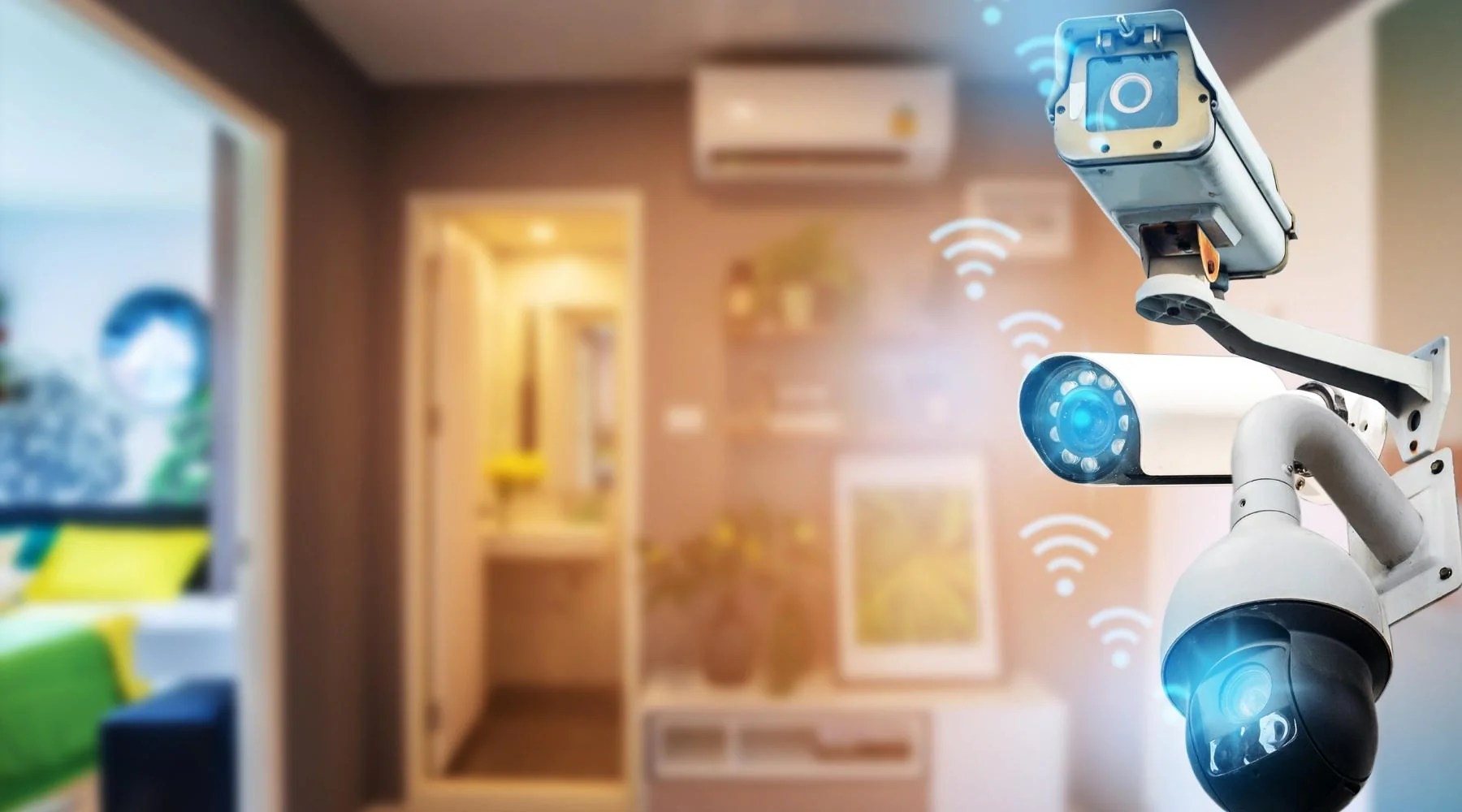
Smart technology has revolutionized the security camera industry, bringing about significant advancements in surveillance systems. With the integration of artificial intelligence (AI) and machine learning, smart security camera systems have become more efficient and effective in monitoring and protecting homes and businesses.
Role of artificial intelligence and machine learning
- AI algorithms can analyze video footage in real-time, detecting and alerting users to potential security threats.
- Machine learning enables security cameras to learn and adapt to their environment, improving accuracy in identifying objects and people.
- These technologies enhance the overall performance of security cameras, making them more reliable and proactive in safeguarding properties.
Smart technology integrations
- Integration with smart home devices allows security cameras to work seamlessly with other smart gadgets, such as smart lights and door locks, enhancing overall home security.
- Cloud storage services enable users to store and access video footage remotely, providing added convenience and security.
- Mobile app integration allows users to monitor their security cameras from anywhere, providing real-time alerts and notifications.
Future implications of smart technology advancements
- As smart technology continues to advance, security cameras are expected to become more intelligent and autonomous, further enhancing security measures.
- Improved data analytics capabilities will enable security cameras to provide more detailed insights into security threats and trends.
- Integration with IoT devices and sensors will create a more interconnected security ecosystem, offering comprehensive protection for homes and businesses.
Wrap-Up
In conclusion, the guide equips you with the knowledge needed to navigate the vast array of smart home security cameras. From understanding key features to optimizing network settings, this guide empowers you to make the best choice for your home security needs.
Expert Answers
What role does resolution play in smart security cameras?
Resolution determines the clarity of the video footage captured by the camera, impacting the overall quality of surveillance.
How does two-way audio enhance security cameras?
Two-way audio enables communication through the camera, allowing for interaction with individuals on the camera’s feed.
Why are firmware updates important for security cameras?
Firmware updates enhance camera security, fix bugs, and improve overall performance.
What are some common cybersecurity threats for smart security cameras?
Common threats include hacking, unauthorized access, and data breaches that compromise the security of the camera system.
How can web-based platforms enhance accessibility for security camera footage?
Web-based platforms provide remote access to camera feeds, allowing users to monitor their property from anywhere with an internet connection.


